

blog

The Ultimate Guide to Workforce Identity Security in 2026

November 11, 2026

Key Takeaways

  • A valid credential or successful login doesn't always confirm who's requesting access. Workforce identity security adds another layer of protection by verifying the person behind an access request, not just the credentials presented.
  • Workforce IAM manages authentication and access permissions. Employee identity verification adds assurance that the individual receiving or recovering access is the person associated with the account.
  • Hiring, onboarding, sensitive access, account recovery, and offboarding each create different risks. Identity checks should support the entire employee lifecycle rather than end once an account is created.
  • Biometric MFA can strengthen high-risk workflows by verifying the person requesting access, not just their credentials. Reusable identity lets returning users verify again without repeatedly uploading documents.
  • CLEAR1 combines biometric verification, document checks, device signals, and trusted data sources to help organizations confirm identity within existing workforce systems.

Passwords, access badges, and multifactor authentication help protect the systems and information employees use every day. These controls are essential, but a valid credential doesn't always confirm that the person accessing an account is the employee authorized to use it.

‍

Workforce identity security addresses this gap by verifying the person, not just their credentials. Biometric verification helps organizations confirm that someone enrolling a new device, recovering an account, or viewing sensitive information matches the verified identity associated with the account.

‍

This guide explains where credential-based controls fall short, how verification supports the employee lifecycle, and what to consider when adding biometric MFA to your existing workforce systems.


What is Workforce Identity Security?


Workforce identity security protects employee and contractor identities and helps prevent unauthorized access to company systems. It brings together identity verification, authentication, access management, and identity threat detection and response.

‍

Identity verification helps confirm that an employee or contractor is who they claim to be. Authentication checks the password, security key, or other factor they use to sign in.

‍

Workforce identity and access management, or workforce IAM, supports account creation, sign-in, permissions, and account removal when employees leave. Access management is the part of IAM that determines which company resources each account can use. Identity verification provides a stronger foundation for those access decisions by confirming the person behind the account.


Why Passwords and Access Badges Aren't Identity


Passwords, badges, and single sign-on (SSO) sessions serve different purposes. A password demonstrates knowledge of a secret, a badge proves possession of a credential, and SSO lets employees use one sign-in across approved applications. But a correct password, valid access badge, or active session doesn't necessarily confirm that the person using the account is the authorized employee.

‍

Phishing-resistant MFA strengthens workforce authentication, but organizations still need to verify the person enrolling a security key, replacing a lost device, or requesting an MFA reset. A strong sign-in method can't compensate for a recovery process that gives the wrong person control of an account.

‍

For example, an employee who loses a phone may contact the help desk to set up a new authentication method. Asking for an employee ID number or a manager's name doesn't prove who's calling. An attacker may have the same information.

‍

The 2023 attacks on MGM Resorts and Caesars Entertainment brought renewed attention to help desk impersonation. Reporting on Scattered Spider highlighted how attackers impersonated employees and manipulated help desks to reach enterprise accounts. Support teams need a reliable way to confirm who's calling, even when the caller has a convincing explanation for why they can't use their usual sign-in method.

‍

The risk doesn't end with a reset. Once an attacker controls an account, they can view sensitive data, request more permissions, or add a recovery method to maintain control.


Where the Gap Shows Up Across the Employee Lifecycle


Workforce identity management needs to account for changes in employees' roles, devices, and permissions. Verifying a new hire before creating an account is important, but identity checks shouldn't stop there. Organizations also need to confirm who's requesting a password reset, enrolling a new device, accessing sensitive data, or seeking administrative privileges.


Applicants and contractors

Identity checks can begin during hiring, before an applicant receives access to company systems. In a remote hiring process, the person completing an assessment or interview may not be the person who eventually joins the team.

‍

Apply identity checks to both full-time hires and contractors working remotely, then connect each applicant's verified identity to their onboarding records.


Onboarding

Onboarding should connect the verified person to the correct employee record, account, and authentication method. Verify identity before issuing credentials or setting up MFA to help prevent an impersonator from taking control of the account.


Authentication and sensitive access

Match identity checks to the risk of the action, the device's security status, and existing access policies. A routine sign-in may not need the same checks as viewing payroll data, using an administrative account, or enrolling a new device.


Account recovery

When employees can't use their usual sign-in methods, verify who's requesting the reset before restoring access. Comparing a selfie with a previously verified identity can help confirm the employee without relying solely on personal questions or a manager's approval.

‍

Manual recovery requests also add work for support teams. At Community Health Network, CLEAR1 contributed to a 54% reduction in account-related support calls, easing help desk pressure.


Role changes and offboarding

Identity verification is one part of insider threat prevention. A verified employee can still misuse an account, so access restrictions and monitoring remain essential. Review permissions when roles change, and revoke accounts, sessions, badges, and recovery methods when employment ends.


The Shift From Badge to Biometric

Hybrid employees use different credentials to enter offices and sign in remotely. An access badge can open a door without confirming that the person using it is the employee authorized to enter.

‍

Biometric access control helps confirm the person entering a building. The same principle applies online: connect access to the verified employee, not just the credential they present.


How Verified Identity Supports Zero Trust Security


Zero Trust security requires organizations to evaluate each request rather than assume a familiar network or earlier sign-in makes an action safe. Identity, the device's security status, permissions, and the circumstances of the request all help determine whether to allow the action.

‍

Those decisions depend on reliable identity information. An attacker using an employee's credentials may initially look like a familiar user on an approved device. Identity verification helps confirm the person before the organization approves a sensitive action or restores an account.

‍

Privileged access management and session controls restrict what an account can do, while monitoring and threat detection help identify misuse. Together, these controls support Zero Trust policies without requiring employees to repeat full identity proofing at every login.


How Biometric MFA Supports Workforce Identity Security


A face or fingerprint check can authorize use of a credential stored on a device. A selfie-based identity check serves a different purpose, comparing the returning user with a previously verified identity.

‍

Reusable identity connects the first verification to later checks:

‍

  1. Establish identity. The user presents a government-issued ID and takes a selfie. Document checks, biometric matching, liveness, Image Attack Detection (IAD), device signals, and checks against trusted data sources help confirm the person and their identity.
  2. Connect the verified identity to the workforce account. Match the person to the correct employee or contractor record before granting access.
  3. Re-verify when needed. A returning user takes a selfie to recover an account or complete another sensitive action, without necessarily uploading their ID again.

‍

Reusable identity works alongside workforce IAM. Existing systems continue to enforce sign-in policies and permissions, while identity verification helps confirm who's enrolling an authentication method, recovering an account, or requesting additional access.


How to Evaluate a Workforce Identity Solution


Start by identifying when your organization needs to verify an employee's identity. A solution that works well for one-time onboarding may not offer the same assurance or ease of use when an employee needs to recover an account.

‍

Use five questions to compare identity verification services for your workforce:

‍

  • How does the solution verify the person? Look beyond document checks for biometric matching, liveness, IAD, device security signals, and validation against trusted data sources.
  • How do the defenses work together? Presentation attack detection (PAD) checks for attacks presented to a camera, IAD examines image content, and injection defenses address images or video substituted into the capture process.
  • How does the solution fit your existing systems? Check whether it integrates with your IAM and workforce tools, how much work it takes to set up policies, and how your team receives and uses verification results.
  • How does the provider address accuracy and privacy? Ask for evidence of biometric accuracy across user groups and review accessibility options. Confirm how the provider obtains consent, how long it keeps data, and who handles sensitive biometric information.
  • What happens when someone returns? Test account recovery and other repeat use cases, not just the first verification. Review completion rates, what happens when a check fails, and when manual review is needed.


How CLEAR1 Approaches Workforce Identity Security


CLEAR1 combines hundreds of real-time signals from biometrics, documents, devices, and verified data sources to support employee identity verification during onboarding, account recovery, and other high-risk actions. CLEAR1 integrates with Greenhouse for applicant verification and with Okta, Ping, and Microsoft Entra for account recovery, MFA enrollment, and sensitive actions. These are just a few of CLEAR1’s integrations for workforce security. Explore our full range of integrations for additional options across hiring, access management, and business workflows.


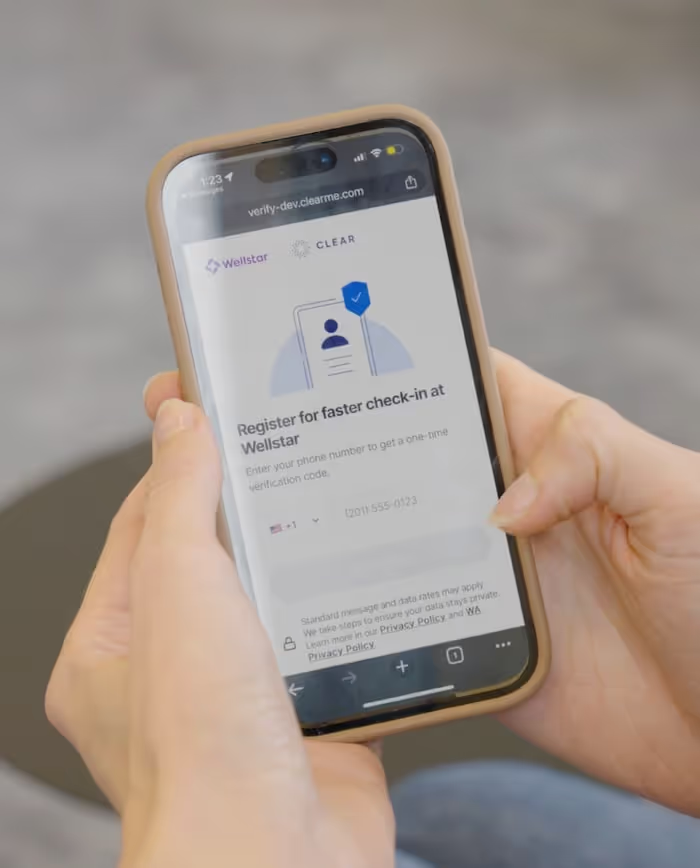
For first-time users, CLEAR authenticates the ID, matches a selfie to the ID portrait, checks liveness, and validates identity information against trusted sources. More than 46 million existing CLEAR users can verify with a selfie, while new users complete a one-time setup before reusing their verified identity across participating workflows.

‍

As a secure biometric controller, CLEAR handles biometric processing, sharing only the verification result and the information the user has explicitly consented to share.


Strengthen Workforce Security With CLEAR1


Explore CLEAR1 for workforce to see how your organization can verify employees within the systems your teams already use.

Frequently Asked Questions

What is workforce identity security?

Workforce identity security combines verification, authentication, access policies, and threat detection to protect employees' and contractors' digital identities from hiring through offboarding.


How is workforce identity security different from workforce IAM?

Workforce IAM supports account creation, sign-in, permissions, and account removal. Workforce identity security takes a broader view, adding identity verification and defenses against account compromise, recovery abuse, and other identity threats from hiring through offboarding.


What is a workforce identity security platform?

A workforce identity security platform helps organizations protect employee and contractor accounts. Capabilities vary: some focus on authentication and permissions, while others add identity verification, threat detection, or privileged access controls.


What are the biggest workforce identity security risks?

Common risks include stolen credentials, help desk impersonation, MFA reset abuse, account takeover, hiring fraud, and compromised devices. Unnecessary permissions and accounts left active after employment ends can increase an attacker's access to company resources.


How is workforce identity different from customer identity (CIAM)?

Workforce identity supports employees and contractors who use company systems. Customer identity and access management (CIAM) supports customers and other external users of a product or service. Both may use identity verification, but their users, permissions, and access needs differ.


How does workforce identity verification work?

A typical process checks a government-issued ID, compares a live selfie with the ID portrait, and evaluates other identity signals. With reusable identity, returning users can verify against their previously established identity instead of uploading their ID again.


Why is identity verification important for Zero Trust security?

Zero Trust policies need reliable identity information. Verification helps confirm who's making a request, while authentication, access restrictions, device checks, and monitoring help determine whether to allow the action and detect later misuse.

Passwords, access badges, and multifactor authentication help protect the systems and information employees use every day. These controls are essential, but a valid credential doesn't always confirm that the person accessing an account is the employee authorized to use it.

‍

Workforce identity security addresses this gap by verifying the person, not just their credentials. Biometric verification helps organizations confirm that someone enrolling a new device, recovering an account, or viewing sensitive information matches the verified identity associated with the account.

‍

This guide explains where credential-based controls fall short, how verification supports the employee lifecycle, and what to consider when adding biometric MFA to your existing workforce systems.


What is Workforce Identity Security?


Workforce identity security protects employee and contractor identities and helps prevent unauthorized access to company systems. It brings together identity verification, authentication, access management, and identity threat detection and response.

‍

Identity verification helps confirm that an employee or contractor is who they claim to be. Authentication checks the password, security key, or other factor they use to sign in.

‍

Workforce identity and access management, or workforce IAM, supports account creation, sign-in, permissions, and account removal when employees leave. Access management is the part of IAM that determines which company resources each account can use. Identity verification provides a stronger foundation for those access decisions by confirming the person behind the account.


Why Passwords and Access Badges Aren't Identity


Passwords, badges, and single sign-on (SSO) sessions serve different purposes. A password demonstrates knowledge of a secret, a badge proves possession of a credential, and SSO lets employees use one sign-in across approved applications. But a correct password, valid access badge, or active session doesn't necessarily confirm that the person using the account is the authorized employee.

‍

Phishing-resistant MFA strengthens workforce authentication, but organizations still need to verify the person enrolling a security key, replacing a lost device, or requesting an MFA reset. A strong sign-in method can't compensate for a recovery process that gives the wrong person control of an account.

‍

For example, an employee who loses a phone may contact the help desk to set up a new authentication method. Asking for an employee ID number or a manager's name doesn't prove who's calling. An attacker may have the same information.

‍

The 2023 attacks on MGM Resorts and Caesars Entertainment brought renewed attention to help desk impersonation. Reporting on Scattered Spider highlighted how attackers impersonated employees and manipulated help desks to reach enterprise accounts. Support teams need a reliable way to confirm who's calling, even when the caller has a convincing explanation for why they can't use their usual sign-in method.

‍

The risk doesn't end with a reset. Once an attacker controls an account, they can view sensitive data, request more permissions, or add a recovery method to maintain control.


Where the Gap Shows Up Across the Employee Lifecycle


Workforce identity management needs to account for changes in employees' roles, devices, and permissions. Verifying a new hire before creating an account is important, but identity checks shouldn't stop there. Organizations also need to confirm who's requesting a password reset, enrolling a new device, accessing sensitive data, or seeking administrative privileges.


Applicants and contractors

Identity checks can begin during hiring, before an applicant receives access to company systems. In a remote hiring process, the person completing an assessment or interview may not be the person who eventually joins the team.

‍

Apply identity checks to both full-time hires and contractors working remotely, then connect each applicant's verified identity to their onboarding records.


Onboarding

Onboarding should connect the verified person to the correct employee record, account, and authentication method. Verify identity before issuing credentials or setting up MFA to help prevent an impersonator from taking control of the account.


Authentication and sensitive access

Match identity checks to the risk of the action, the device's security status, and existing access policies. A routine sign-in may not need the same checks as viewing payroll data, using an administrative account, or enrolling a new device.


Account recovery

When employees can't use their usual sign-in methods, verify who's requesting the reset before restoring access. Comparing a selfie with a previously verified identity can help confirm the employee without relying solely on personal questions or a manager's approval.

‍

Manual recovery requests also add work for support teams. At Community Health Network, CLEAR1 contributed to a 54% reduction in account-related support calls, easing help desk pressure.


Role changes and offboarding

Identity verification is one part of insider threat prevention. A verified employee can still misuse an account, so access restrictions and monitoring remain essential. Review permissions when roles change, and revoke accounts, sessions, badges, and recovery methods when employment ends.


The Shift From Badge to Biometric

Hybrid employees use different credentials to enter offices and sign in remotely. An access badge can open a door without confirming that the person using it is the employee authorized to enter.

‍

Biometric access control helps confirm the person entering a building. The same principle applies online: connect access to the verified employee, not just the credential they present.


How Verified Identity Supports Zero Trust Security


Zero Trust security requires organizations to evaluate each request rather than assume a familiar network or earlier sign-in makes an action safe. Identity, the device's security status, permissions, and the circumstances of the request all help determine whether to allow the action.

‍

Those decisions depend on reliable identity information. An attacker using an employee's credentials may initially look like a familiar user on an approved device. Identity verification helps confirm the person before the organization approves a sensitive action or restores an account.

‍

Privileged access management and session controls restrict what an account can do, while monitoring and threat detection help identify misuse. Together, these controls support Zero Trust policies without requiring employees to repeat full identity proofing at every login.


How Biometric MFA Supports Workforce Identity Security


A face or fingerprint check can authorize use of a credential stored on a device. A selfie-based identity check serves a different purpose, comparing the returning user with a previously verified identity.

‍

Reusable identity connects the first verification to later checks:

‍

  1. Establish identity. The user presents a government-issued ID and takes a selfie. Document checks, biometric matching, liveness, Image Attack Detection (IAD), device signals, and checks against trusted data sources help confirm the person and their identity.
  2. Connect the verified identity to the workforce account. Match the person to the correct employee or contractor record before granting access.
  3. Re-verify when needed. A returning user takes a selfie to recover an account or complete another sensitive action, without necessarily uploading their ID again.

‍

Reusable identity works alongside workforce IAM. Existing systems continue to enforce sign-in policies and permissions, while identity verification helps confirm who's enrolling an authentication method, recovering an account, or requesting additional access.


How to Evaluate a Workforce Identity Solution


Start by identifying when your organization needs to verify an employee's identity. A solution that works well for one-time onboarding may not offer the same assurance or ease of use when an employee needs to recover an account.

‍

Use five questions to compare identity verification services for your workforce:

‍

  • How does the solution verify the person? Look beyond document checks for biometric matching, liveness, IAD, device security signals, and validation against trusted data sources.
  • How do the defenses work together? Presentation attack detection (PAD) checks for attacks presented to a camera, IAD examines image content, and injection defenses address images or video substituted into the capture process.
  • How does the solution fit your existing systems? Check whether it integrates with your IAM and workforce tools, how much work it takes to set up policies, and how your team receives and uses verification results.
  • How does the provider address accuracy and privacy? Ask for evidence of biometric accuracy across user groups and review accessibility options. Confirm how the provider obtains consent, how long it keeps data, and who handles sensitive biometric information.
  • What happens when someone returns? Test account recovery and other repeat use cases, not just the first verification. Review completion rates, what happens when a check fails, and when manual review is needed.


How CLEAR1 Approaches Workforce Identity Security


CLEAR1 combines hundreds of real-time signals from biometrics, documents, devices, and verified data sources to support employee identity verification during onboarding, account recovery, and other high-risk actions. CLEAR1 integrates with Greenhouse for applicant verification and with Okta, Ping, and Microsoft Entra for account recovery, MFA enrollment, and sensitive actions. These are just a few of CLEAR1’s integrations for workforce security. Explore our full range of integrations for additional options across hiring, access management, and business workflows.


For first-time users, CLEAR authenticates the ID, matches a selfie to the ID portrait, checks liveness, and validates identity information against trusted sources. More than 46 million existing CLEAR users can verify with a selfie, while new users complete a one-time setup before reusing their verified identity across participating workflows.

‍

As a secure biometric controller, CLEAR handles biometric processing, sharing only the verification result and the information the user has explicitly consented to share.


Strengthen Workforce Security With CLEAR1


Explore CLEAR1 for workforce to see how your organization can verify employees within the systems your teams already use.

Maximize security, minimize friction with CLEAR

Reach out to uncover what problems you can solve when you solve for identity.

By submitting my personal data, I consent to CLEAR collecting, processing, and storing my information in accordance with the CLEAR Privacy Notice.
blog

The Ultimate Guide to Workforce Identity Security in 2026

November 11, 2026

Passwords, access badges, and multifactor authentication help protect the systems and information employees use every day. These controls are essential, but a valid credential doesn't always confirm that the person accessing an account is the employee authorized to use it.

‍

Workforce identity security addresses this gap by verifying the person, not just their credentials. Biometric verification helps organizations confirm that someone enrolling a new device, recovering an account, or viewing sensitive information matches the verified identity associated with the account.

‍

This guide explains where credential-based controls fall short, how verification supports the employee lifecycle, and what to consider when adding biometric MFA to your existing workforce systems.


What is Workforce Identity Security?


Workforce identity security protects employee and contractor identities and helps prevent unauthorized access to company systems. It brings together identity verification, authentication, access management, and identity threat detection and response.

‍

Identity verification helps confirm that an employee or contractor is who they claim to be. Authentication checks the password, security key, or other factor they use to sign in.

‍

Workforce identity and access management, or workforce IAM, supports account creation, sign-in, permissions, and account removal when employees leave. Access management is the part of IAM that determines which company resources each account can use. Identity verification provides a stronger foundation for those access decisions by confirming the person behind the account.


Why Passwords and Access Badges Aren't Identity


Passwords, badges, and single sign-on (SSO) sessions serve different purposes. A password demonstrates knowledge of a secret, a badge proves possession of a credential, and SSO lets employees use one sign-in across approved applications. But a correct password, valid access badge, or active session doesn't necessarily confirm that the person using the account is the authorized employee.

‍

Phishing-resistant MFA strengthens workforce authentication, but organizations still need to verify the person enrolling a security key, replacing a lost device, or requesting an MFA reset. A strong sign-in method can't compensate for a recovery process that gives the wrong person control of an account.

‍

For example, an employee who loses a phone may contact the help desk to set up a new authentication method. Asking for an employee ID number or a manager's name doesn't prove who's calling. An attacker may have the same information.

‍

The 2023 attacks on MGM Resorts and Caesars Entertainment brought renewed attention to help desk impersonation. Reporting on Scattered Spider highlighted how attackers impersonated employees and manipulated help desks to reach enterprise accounts. Support teams need a reliable way to confirm who's calling, even when the caller has a convincing explanation for why they can't use their usual sign-in method.

‍

The risk doesn't end with a reset. Once an attacker controls an account, they can view sensitive data, request more permissions, or add a recovery method to maintain control.


Where the Gap Shows Up Across the Employee Lifecycle


Workforce identity management needs to account for changes in employees' roles, devices, and permissions. Verifying a new hire before creating an account is important, but identity checks shouldn't stop there. Organizations also need to confirm who's requesting a password reset, enrolling a new device, accessing sensitive data, or seeking administrative privileges.


Applicants and contractors

Identity checks can begin during hiring, before an applicant receives access to company systems. In a remote hiring process, the person completing an assessment or interview may not be the person who eventually joins the team.

‍

Apply identity checks to both full-time hires and contractors working remotely, then connect each applicant's verified identity to their onboarding records.


Onboarding

Onboarding should connect the verified person to the correct employee record, account, and authentication method. Verify identity before issuing credentials or setting up MFA to help prevent an impersonator from taking control of the account.


Authentication and sensitive access

Match identity checks to the risk of the action, the device's security status, and existing access policies. A routine sign-in may not need the same checks as viewing payroll data, using an administrative account, or enrolling a new device.


Account recovery

When employees can't use their usual sign-in methods, verify who's requesting the reset before restoring access. Comparing a selfie with a previously verified identity can help confirm the employee without relying solely on personal questions or a manager's approval.

‍

Manual recovery requests also add work for support teams. At Community Health Network, CLEAR1 contributed to a 54% reduction in account-related support calls, easing help desk pressure.


Role changes and offboarding

Identity verification is one part of insider threat prevention. A verified employee can still misuse an account, so access restrictions and monitoring remain essential. Review permissions when roles change, and revoke accounts, sessions, badges, and recovery methods when employment ends.


The Shift From Badge to Biometric

Hybrid employees use different credentials to enter offices and sign in remotely. An access badge can open a door without confirming that the person using it is the employee authorized to enter.

‍

Biometric access control helps confirm the person entering a building. The same principle applies online: connect access to the verified employee, not just the credential they present.


How Verified Identity Supports Zero Trust Security


Zero Trust security requires organizations to evaluate each request rather than assume a familiar network or earlier sign-in makes an action safe. Identity, the device's security status, permissions, and the circumstances of the request all help determine whether to allow the action.

‍

Those decisions depend on reliable identity information. An attacker using an employee's credentials may initially look like a familiar user on an approved device. Identity verification helps confirm the person before the organization approves a sensitive action or restores an account.

‍

Privileged access management and session controls restrict what an account can do, while monitoring and threat detection help identify misuse. Together, these controls support Zero Trust policies without requiring employees to repeat full identity proofing at every login.


How Biometric MFA Supports Workforce Identity Security


A face or fingerprint check can authorize use of a credential stored on a device. A selfie-based identity check serves a different purpose, comparing the returning user with a previously verified identity.

‍

Reusable identity connects the first verification to later checks:

‍

  1. Establish identity. The user presents a government-issued ID and takes a selfie. Document checks, biometric matching, liveness, Image Attack Detection (IAD), device signals, and checks against trusted data sources help confirm the person and their identity.
  2. Connect the verified identity to the workforce account. Match the person to the correct employee or contractor record before granting access.
  3. Re-verify when needed. A returning user takes a selfie to recover an account or complete another sensitive action, without necessarily uploading their ID again.

‍

Reusable identity works alongside workforce IAM. Existing systems continue to enforce sign-in policies and permissions, while identity verification helps confirm who's enrolling an authentication method, recovering an account, or requesting additional access.


How to Evaluate a Workforce Identity Solution


Start by identifying when your organization needs to verify an employee's identity. A solution that works well for one-time onboarding may not offer the same assurance or ease of use when an employee needs to recover an account.

‍

Use five questions to compare identity verification services for your workforce:

‍

  • How does the solution verify the person? Look beyond document checks for biometric matching, liveness, IAD, device security signals, and validation against trusted data sources.
  • How do the defenses work together? Presentation attack detection (PAD) checks for attacks presented to a camera, IAD examines image content, and injection defenses address images or video substituted into the capture process.
  • How does the solution fit your existing systems? Check whether it integrates with your IAM and workforce tools, how much work it takes to set up policies, and how your team receives and uses verification results.
  • How does the provider address accuracy and privacy? Ask for evidence of biometric accuracy across user groups and review accessibility options. Confirm how the provider obtains consent, how long it keeps data, and who handles sensitive biometric information.
  • What happens when someone returns? Test account recovery and other repeat use cases, not just the first verification. Review completion rates, what happens when a check fails, and when manual review is needed.


How CLEAR1 Approaches Workforce Identity Security


CLEAR1 combines hundreds of real-time signals from biometrics, documents, devices, and verified data sources to support employee identity verification during onboarding, account recovery, and other high-risk actions. CLEAR1 integrates with Greenhouse for applicant verification and with Okta, Ping, and Microsoft Entra for account recovery, MFA enrollment, and sensitive actions. These are just a few of CLEAR1’s integrations for workforce security. Explore our full range of integrations for additional options across hiring, access management, and business workflows.


For first-time users, CLEAR authenticates the ID, matches a selfie to the ID portrait, checks liveness, and validates identity information against trusted sources. More than 46 million existing CLEAR users can verify with a selfie, while new users complete a one-time setup before reusing their verified identity across participating workflows.

‍

As a secure biometric controller, CLEAR handles biometric processing, sharing only the verification result and the information the user has explicitly consented to share.


Strengthen Workforce Security With CLEAR1


Explore CLEAR1 for workforce to see how your organization can verify employees within the systems your teams already use.

Passwords, access badges, and multifactor authentication help protect the systems and information employees use every day. These controls are essential, but a valid credential doesn't always confirm that the person accessing an account is the employee authorized to use it.

‍

Workforce identity security addresses this gap by verifying the person, not just their credentials. Biometric verification helps organizations confirm that someone enrolling a new device, recovering an account, or viewing sensitive information matches the verified identity associated with the account.

‍

This guide explains where credential-based controls fall short, how verification supports the employee lifecycle, and what to consider when adding biometric MFA to your existing workforce systems.


What is Workforce Identity Security?


Workforce identity security protects employee and contractor identities and helps prevent unauthorized access to company systems. It brings together identity verification, authentication, access management, and identity threat detection and response.

‍

Identity verification helps confirm that an employee or contractor is who they claim to be. Authentication checks the password, security key, or other factor they use to sign in.

‍

Workforce identity and access management, or workforce IAM, supports account creation, sign-in, permissions, and account removal when employees leave. Access management is the part of IAM that determines which company resources each account can use. Identity verification provides a stronger foundation for those access decisions by confirming the person behind the account.


Why Passwords and Access Badges Aren't Identity


Passwords, badges, and single sign-on (SSO) sessions serve different purposes. A password demonstrates knowledge of a secret, a badge proves possession of a credential, and SSO lets employees use one sign-in across approved applications. But a correct password, valid access badge, or active session doesn't necessarily confirm that the person using the account is the authorized employee.

‍

Phishing-resistant MFA strengthens workforce authentication, but organizations still need to verify the person enrolling a security key, replacing a lost device, or requesting an MFA reset. A strong sign-in method can't compensate for a recovery process that gives the wrong person control of an account.

‍

For example, an employee who loses a phone may contact the help desk to set up a new authentication method. Asking for an employee ID number or a manager's name doesn't prove who's calling. An attacker may have the same information.

‍

The 2023 attacks on MGM Resorts and Caesars Entertainment brought renewed attention to help desk impersonation. Reporting on Scattered Spider highlighted how attackers impersonated employees and manipulated help desks to reach enterprise accounts. Support teams need a reliable way to confirm who's calling, even when the caller has a convincing explanation for why they can't use their usual sign-in method.

‍

The risk doesn't end with a reset. Once an attacker controls an account, they can view sensitive data, request more permissions, or add a recovery method to maintain control.


Where the Gap Shows Up Across the Employee Lifecycle


Workforce identity management needs to account for changes in employees' roles, devices, and permissions. Verifying a new hire before creating an account is important, but identity checks shouldn't stop there. Organizations also need to confirm who's requesting a password reset, enrolling a new device, accessing sensitive data, or seeking administrative privileges.


Applicants and contractors

Identity checks can begin during hiring, before an applicant receives access to company systems. In a remote hiring process, the person completing an assessment or interview may not be the person who eventually joins the team.

‍

Apply identity checks to both full-time hires and contractors working remotely, then connect each applicant's verified identity to their onboarding records.


Onboarding

Onboarding should connect the verified person to the correct employee record, account, and authentication method. Verify identity before issuing credentials or setting up MFA to help prevent an impersonator from taking control of the account.


Authentication and sensitive access

Match identity checks to the risk of the action, the device's security status, and existing access policies. A routine sign-in may not need the same checks as viewing payroll data, using an administrative account, or enrolling a new device.


Account recovery

When employees can't use their usual sign-in methods, verify who's requesting the reset before restoring access. Comparing a selfie with a previously verified identity can help confirm the employee without relying solely on personal questions or a manager's approval.

‍

Manual recovery requests also add work for support teams. At Community Health Network, CLEAR1 contributed to a 54% reduction in account-related support calls, easing help desk pressure.


Role changes and offboarding

Identity verification is one part of insider threat prevention. A verified employee can still misuse an account, so access restrictions and monitoring remain essential. Review permissions when roles change, and revoke accounts, sessions, badges, and recovery methods when employment ends.


The Shift From Badge to Biometric

Hybrid employees use different credentials to enter offices and sign in remotely. An access badge can open a door without confirming that the person using it is the employee authorized to enter.

‍

Biometric access control helps confirm the person entering a building. The same principle applies online: connect access to the verified employee, not just the credential they present.


How Verified Identity Supports Zero Trust Security


Zero Trust security requires organizations to evaluate each request rather than assume a familiar network or earlier sign-in makes an action safe. Identity, the device's security status, permissions, and the circumstances of the request all help determine whether to allow the action.

‍

Those decisions depend on reliable identity information. An attacker using an employee's credentials may initially look like a familiar user on an approved device. Identity verification helps confirm the person before the organization approves a sensitive action or restores an account.

‍

Privileged access management and session controls restrict what an account can do, while monitoring and threat detection help identify misuse. Together, these controls support Zero Trust policies without requiring employees to repeat full identity proofing at every login.


How Biometric MFA Supports Workforce Identity Security


A face or fingerprint check can authorize use of a credential stored on a device. A selfie-based identity check serves a different purpose, comparing the returning user with a previously verified identity.

‍

Reusable identity connects the first verification to later checks:

‍

  1. Establish identity. The user presents a government-issued ID and takes a selfie. Document checks, biometric matching, liveness, Image Attack Detection (IAD), device signals, and checks against trusted data sources help confirm the person and their identity.
  2. Connect the verified identity to the workforce account. Match the person to the correct employee or contractor record before granting access.
  3. Re-verify when needed. A returning user takes a selfie to recover an account or complete another sensitive action, without necessarily uploading their ID again.

‍

Reusable identity works alongside workforce IAM. Existing systems continue to enforce sign-in policies and permissions, while identity verification helps confirm who's enrolling an authentication method, recovering an account, or requesting additional access.


How to Evaluate a Workforce Identity Solution


Start by identifying when your organization needs to verify an employee's identity. A solution that works well for one-time onboarding may not offer the same assurance or ease of use when an employee needs to recover an account.

‍

Use five questions to compare identity verification services for your workforce:

‍

  • How does the solution verify the person? Look beyond document checks for biometric matching, liveness, IAD, device security signals, and validation against trusted data sources.
  • How do the defenses work together? Presentation attack detection (PAD) checks for attacks presented to a camera, IAD examines image content, and injection defenses address images or video substituted into the capture process.
  • How does the solution fit your existing systems? Check whether it integrates with your IAM and workforce tools, how much work it takes to set up policies, and how your team receives and uses verification results.
  • How does the provider address accuracy and privacy? Ask for evidence of biometric accuracy across user groups and review accessibility options. Confirm how the provider obtains consent, how long it keeps data, and who handles sensitive biometric information.
  • What happens when someone returns? Test account recovery and other repeat use cases, not just the first verification. Review completion rates, what happens when a check fails, and when manual review is needed.


How CLEAR1 Approaches Workforce Identity Security


CLEAR1 combines hundreds of real-time signals from biometrics, documents, devices, and verified data sources to support employee identity verification during onboarding, account recovery, and other high-risk actions. CLEAR1 integrates with Greenhouse for applicant verification and with Okta, Ping, and Microsoft Entra for account recovery, MFA enrollment, and sensitive actions. These are just a few of CLEAR1’s integrations for workforce security. Explore our full range of integrations for additional options across hiring, access management, and business workflows.


For first-time users, CLEAR authenticates the ID, matches a selfie to the ID portrait, checks liveness, and validates identity information against trusted sources. More than 46 million existing CLEAR users can verify with a selfie, while new users complete a one-time setup before reusing their verified identity across participating workflows.

‍

As a secure biometric controller, CLEAR handles biometric processing, sharing only the verification result and the information the user has explicitly consented to share.


Strengthen Workforce Security With CLEAR1


Explore CLEAR1 for workforce to see how your organization can verify employees within the systems your teams already use.

Maximize security, minimize friction with CLEAR

Reach out to uncover what problems you can solve when you solve for identity.

By submitting my personal data, I consent to CLEAR collecting, processing, and storing my information in accordance with the CLEAR Privacy Notice.
blog

The Ultimate Guide to Workforce Identity Security in 2026

November 11, 2026

Passwords, access badges, and multifactor authentication help protect the systems and information employees use every day. These controls are essential, but a valid credential doesn't always confirm that the person accessing an account is the employee authorized to use it.

‍

Workforce identity security addresses this gap by verifying the person, not just their credentials. Biometric verification helps organizations confirm that someone enrolling a new device, recovering an account, or viewing sensitive information matches the verified identity associated with the account.

‍

This guide explains where credential-based controls fall short, how verification supports the employee lifecycle, and what to consider when adding biometric MFA to your existing workforce systems.


What is Workforce Identity Security?


Workforce identity security protects employee and contractor identities and helps prevent unauthorized access to company systems. It brings together identity verification, authentication, access management, and identity threat detection and response.

‍

Identity verification helps confirm that an employee or contractor is who they claim to be. Authentication checks the password, security key, or other factor they use to sign in.

‍

Workforce identity and access management, or workforce IAM, supports account creation, sign-in, permissions, and account removal when employees leave. Access management is the part of IAM that determines which company resources each account can use. Identity verification provides a stronger foundation for those access decisions by confirming the person behind the account.


Why Passwords and Access Badges Aren't Identity


Passwords, badges, and single sign-on (SSO) sessions serve different purposes. A password demonstrates knowledge of a secret, a badge proves possession of a credential, and SSO lets employees use one sign-in across approved applications. But a correct password, valid access badge, or active session doesn't necessarily confirm that the person using the account is the authorized employee.

‍

Phishing-resistant MFA strengthens workforce authentication, but organizations still need to verify the person enrolling a security key, replacing a lost device, or requesting an MFA reset. A strong sign-in method can't compensate for a recovery process that gives the wrong person control of an account.

‍

For example, an employee who loses a phone may contact the help desk to set up a new authentication method. Asking for an employee ID number or a manager's name doesn't prove who's calling. An attacker may have the same information.

‍

The 2023 attacks on MGM Resorts and Caesars Entertainment brought renewed attention to help desk impersonation. Reporting on Scattered Spider highlighted how attackers impersonated employees and manipulated help desks to reach enterprise accounts. Support teams need a reliable way to confirm who's calling, even when the caller has a convincing explanation for why they can't use their usual sign-in method.

‍

The risk doesn't end with a reset. Once an attacker controls an account, they can view sensitive data, request more permissions, or add a recovery method to maintain control.


Where the Gap Shows Up Across the Employee Lifecycle


Workforce identity management needs to account for changes in employees' roles, devices, and permissions. Verifying a new hire before creating an account is important, but identity checks shouldn't stop there. Organizations also need to confirm who's requesting a password reset, enrolling a new device, accessing sensitive data, or seeking administrative privileges.


Applicants and contractors

Identity checks can begin during hiring, before an applicant receives access to company systems. In a remote hiring process, the person completing an assessment or interview may not be the person who eventually joins the team.

‍

Apply identity checks to both full-time hires and contractors working remotely, then connect each applicant's verified identity to their onboarding records.


Onboarding

Onboarding should connect the verified person to the correct employee record, account, and authentication method. Verify identity before issuing credentials or setting up MFA to help prevent an impersonator from taking control of the account.


Authentication and sensitive access

Match identity checks to the risk of the action, the device's security status, and existing access policies. A routine sign-in may not need the same checks as viewing payroll data, using an administrative account, or enrolling a new device.


Account recovery

When employees can't use their usual sign-in methods, verify who's requesting the reset before restoring access. Comparing a selfie with a previously verified identity can help confirm the employee without relying solely on personal questions or a manager's approval.

‍

Manual recovery requests also add work for support teams. At Community Health Network, CLEAR1 contributed to a 54% reduction in account-related support calls, easing help desk pressure.


Role changes and offboarding

Identity verification is one part of insider threat prevention. A verified employee can still misuse an account, so access restrictions and monitoring remain essential. Review permissions when roles change, and revoke accounts, sessions, badges, and recovery methods when employment ends.


The Shift From Badge to Biometric

Hybrid employees use different credentials to enter offices and sign in remotely. An access badge can open a door without confirming that the person using it is the employee authorized to enter.

‍

Biometric access control helps confirm the person entering a building. The same principle applies online: connect access to the verified employee, not just the credential they present.


How Verified Identity Supports Zero Trust Security


Zero Trust security requires organizations to evaluate each request rather than assume a familiar network or earlier sign-in makes an action safe. Identity, the device's security status, permissions, and the circumstances of the request all help determine whether to allow the action.

‍

Those decisions depend on reliable identity information. An attacker using an employee's credentials may initially look like a familiar user on an approved device. Identity verification helps confirm the person before the organization approves a sensitive action or restores an account.

‍

Privileged access management and session controls restrict what an account can do, while monitoring and threat detection help identify misuse. Together, these controls support Zero Trust policies without requiring employees to repeat full identity proofing at every login.


How Biometric MFA Supports Workforce Identity Security


A face or fingerprint check can authorize use of a credential stored on a device. A selfie-based identity check serves a different purpose, comparing the returning user with a previously verified identity.

‍

Reusable identity connects the first verification to later checks:

‍

  1. Establish identity. The user presents a government-issued ID and takes a selfie. Document checks, biometric matching, liveness, Image Attack Detection (IAD), device signals, and checks against trusted data sources help confirm the person and their identity.
  2. Connect the verified identity to the workforce account. Match the person to the correct employee or contractor record before granting access.
  3. Re-verify when needed. A returning user takes a selfie to recover an account or complete another sensitive action, without necessarily uploading their ID again.

‍

Reusable identity works alongside workforce IAM. Existing systems continue to enforce sign-in policies and permissions, while identity verification helps confirm who's enrolling an authentication method, recovering an account, or requesting additional access.


How to Evaluate a Workforce Identity Solution


Start by identifying when your organization needs to verify an employee's identity. A solution that works well for one-time onboarding may not offer the same assurance or ease of use when an employee needs to recover an account.

‍

Use five questions to compare identity verification services for your workforce:

‍

  • How does the solution verify the person? Look beyond document checks for biometric matching, liveness, IAD, device security signals, and validation against trusted data sources.
  • How do the defenses work together? Presentation attack detection (PAD) checks for attacks presented to a camera, IAD examines image content, and injection defenses address images or video substituted into the capture process.
  • How does the solution fit your existing systems? Check whether it integrates with your IAM and workforce tools, how much work it takes to set up policies, and how your team receives and uses verification results.
  • How does the provider address accuracy and privacy? Ask for evidence of biometric accuracy across user groups and review accessibility options. Confirm how the provider obtains consent, how long it keeps data, and who handles sensitive biometric information.
  • What happens when someone returns? Test account recovery and other repeat use cases, not just the first verification. Review completion rates, what happens when a check fails, and when manual review is needed.


How CLEAR1 Approaches Workforce Identity Security


CLEAR1 combines hundreds of real-time signals from biometrics, documents, devices, and verified data sources to support employee identity verification during onboarding, account recovery, and other high-risk actions. CLEAR1 integrates with Greenhouse for applicant verification and with Okta, Ping, and Microsoft Entra for account recovery, MFA enrollment, and sensitive actions. These are just a few of CLEAR1’s integrations for workforce security. Explore our full range of integrations for additional options across hiring, access management, and business workflows.


For first-time users, CLEAR authenticates the ID, matches a selfie to the ID portrait, checks liveness, and validates identity information against trusted sources. More than 46 million existing CLEAR users can verify with a selfie, while new users complete a one-time setup before reusing their verified identity across participating workflows.

‍

As a secure biometric controller, CLEAR handles biometric processing, sharing only the verification result and the information the user has explicitly consented to share.


Strengthen Workforce Security With CLEAR1


Explore CLEAR1 for workforce to see how your organization can verify employees within the systems your teams already use.

Passwords, access badges, and multifactor authentication help protect the systems and information employees use every day. These controls are essential, but a valid credential doesn't always confirm that the person accessing an account is the employee authorized to use it.

‍

Workforce identity security addresses this gap by verifying the person, not just their credentials. Biometric verification helps organizations confirm that someone enrolling a new device, recovering an account, or viewing sensitive information matches the verified identity associated with the account.

‍

This guide explains where credential-based controls fall short, how verification supports the employee lifecycle, and what to consider when adding biometric MFA to your existing workforce systems.


What is Workforce Identity Security?


Workforce identity security protects employee and contractor identities and helps prevent unauthorized access to company systems. It brings together identity verification, authentication, access management, and identity threat detection and response.

‍

Identity verification helps confirm that an employee or contractor is who they claim to be. Authentication checks the password, security key, or other factor they use to sign in.

‍

Workforce identity and access management, or workforce IAM, supports account creation, sign-in, permissions, and account removal when employees leave. Access management is the part of IAM that determines which company resources each account can use. Identity verification provides a stronger foundation for those access decisions by confirming the person behind the account.


Why Passwords and Access Badges Aren't Identity


Passwords, badges, and single sign-on (SSO) sessions serve different purposes. A password demonstrates knowledge of a secret, a badge proves possession of a credential, and SSO lets employees use one sign-in across approved applications. But a correct password, valid access badge, or active session doesn't necessarily confirm that the person using the account is the authorized employee.

‍

Phishing-resistant MFA strengthens workforce authentication, but organizations still need to verify the person enrolling a security key, replacing a lost device, or requesting an MFA reset. A strong sign-in method can't compensate for a recovery process that gives the wrong person control of an account.

‍

For example, an employee who loses a phone may contact the help desk to set up a new authentication method. Asking for an employee ID number or a manager's name doesn't prove who's calling. An attacker may have the same information.

‍

The 2023 attacks on MGM Resorts and Caesars Entertainment brought renewed attention to help desk impersonation. Reporting on Scattered Spider highlighted how attackers impersonated employees and manipulated help desks to reach enterprise accounts. Support teams need a reliable way to confirm who's calling, even when the caller has a convincing explanation for why they can't use their usual sign-in method.

‍

The risk doesn't end with a reset. Once an attacker controls an account, they can view sensitive data, request more permissions, or add a recovery method to maintain control.


Where the Gap Shows Up Across the Employee Lifecycle


Workforce identity management needs to account for changes in employees' roles, devices, and permissions. Verifying a new hire before creating an account is important, but identity checks shouldn't stop there. Organizations also need to confirm who's requesting a password reset, enrolling a new device, accessing sensitive data, or seeking administrative privileges.


Applicants and contractors

Identity checks can begin during hiring, before an applicant receives access to company systems. In a remote hiring process, the person completing an assessment or interview may not be the person who eventually joins the team.

‍

Apply identity checks to both full-time hires and contractors working remotely, then connect each applicant's verified identity to their onboarding records.


Onboarding

Onboarding should connect the verified person to the correct employee record, account, and authentication method. Verify identity before issuing credentials or setting up MFA to help prevent an impersonator from taking control of the account.


Authentication and sensitive access

Match identity checks to the risk of the action, the device's security status, and existing access policies. A routine sign-in may not need the same checks as viewing payroll data, using an administrative account, or enrolling a new device.


Account recovery

When employees can't use their usual sign-in methods, verify who's requesting the reset before restoring access. Comparing a selfie with a previously verified identity can help confirm the employee without relying solely on personal questions or a manager's approval.

‍

Manual recovery requests also add work for support teams. At Community Health Network, CLEAR1 contributed to a 54% reduction in account-related support calls, easing help desk pressure.


Role changes and offboarding

Identity verification is one part of insider threat prevention. A verified employee can still misuse an account, so access restrictions and monitoring remain essential. Review permissions when roles change, and revoke accounts, sessions, badges, and recovery methods when employment ends.


The Shift From Badge to Biometric

Hybrid employees use different credentials to enter offices and sign in remotely. An access badge can open a door without confirming that the person using it is the employee authorized to enter.

‍

Biometric access control helps confirm the person entering a building. The same principle applies online: connect access to the verified employee, not just the credential they present.


How Verified Identity Supports Zero Trust Security


Zero Trust security requires organizations to evaluate each request rather than assume a familiar network or earlier sign-in makes an action safe. Identity, the device's security status, permissions, and the circumstances of the request all help determine whether to allow the action.

‍

Those decisions depend on reliable identity information. An attacker using an employee's credentials may initially look like a familiar user on an approved device. Identity verification helps confirm the person before the organization approves a sensitive action or restores an account.

‍

Privileged access management and session controls restrict what an account can do, while monitoring and threat detection help identify misuse. Together, these controls support Zero Trust policies without requiring employees to repeat full identity proofing at every login.


How Biometric MFA Supports Workforce Identity Security


A face or fingerprint check can authorize use of a credential stored on a device. A selfie-based identity check serves a different purpose, comparing the returning user with a previously verified identity.

‍

Reusable identity connects the first verification to later checks:

‍

  1. Establish identity. The user presents a government-issued ID and takes a selfie. Document checks, biometric matching, liveness, Image Attack Detection (IAD), device signals, and checks against trusted data sources help confirm the person and their identity.
  2. Connect the verified identity to the workforce account. Match the person to the correct employee or contractor record before granting access.
  3. Re-verify when needed. A returning user takes a selfie to recover an account or complete another sensitive action, without necessarily uploading their ID again.

‍

Reusable identity works alongside workforce IAM. Existing systems continue to enforce sign-in policies and permissions, while identity verification helps confirm who's enrolling an authentication method, recovering an account, or requesting additional access.


How to Evaluate a Workforce Identity Solution


Start by identifying when your organization needs to verify an employee's identity. A solution that works well for one-time onboarding may not offer the same assurance or ease of use when an employee needs to recover an account.

‍

Use five questions to compare identity verification services for your workforce:

‍

  • How does the solution verify the person? Look beyond document checks for biometric matching, liveness, IAD, device security signals, and validation against trusted data sources.
  • How do the defenses work together? Presentation attack detection (PAD) checks for attacks presented to a camera, IAD examines image content, and injection defenses address images or video substituted into the capture process.
  • How does the solution fit your existing systems? Check whether it integrates with your IAM and workforce tools, how much work it takes to set up policies, and how your team receives and uses verification results.
  • How does the provider address accuracy and privacy? Ask for evidence of biometric accuracy across user groups and review accessibility options. Confirm how the provider obtains consent, how long it keeps data, and who handles sensitive biometric information.
  • What happens when someone returns? Test account recovery and other repeat use cases, not just the first verification. Review completion rates, what happens when a check fails, and when manual review is needed.


How CLEAR1 Approaches Workforce Identity Security


CLEAR1 combines hundreds of real-time signals from biometrics, documents, devices, and verified data sources to support employee identity verification during onboarding, account recovery, and other high-risk actions. CLEAR1 integrates with Greenhouse for applicant verification and with Okta, Ping, and Microsoft Entra for account recovery, MFA enrollment, and sensitive actions. These are just a few of CLEAR1’s integrations for workforce security. Explore our full range of integrations for additional options across hiring, access management, and business workflows.


For first-time users, CLEAR authenticates the ID, matches a selfie to the ID portrait, checks liveness, and validates identity information against trusted sources. More than 46 million existing CLEAR users can verify with a selfie, while new users complete a one-time setup before reusing their verified identity across participating workflows.

‍

As a secure biometric controller, CLEAR handles biometric processing, sharing only the verification result and the information the user has explicitly consented to share.


Strengthen Workforce Security With CLEAR1


Explore CLEAR1 for workforce to see how your organization can verify employees within the systems your teams already use.

Maximize security, minimize friction with CLEAR

Reach out to uncover what problems you can solve when you solve for identity.

By submitting my personal data, I consent to CLEAR collecting, processing, and storing my information in accordance with the CLEAR Privacy Notice.
blog

The Ultimate Guide to Workforce Identity Security in 2026

November 11, 2026

Passwords, access badges, and multifactor authentication help protect the systems and information employees use every day. These controls are essential, but a valid credential doesn't always confirm that the person accessing an account is the employee authorized to use it.

‍

Workforce identity security addresses this gap by verifying the person, not just their credentials. Biometric verification helps organizations confirm that someone enrolling a new device, recovering an account, or viewing sensitive information matches the verified identity associated with the account.

‍

This guide explains where credential-based controls fall short, how verification supports the employee lifecycle, and what to consider when adding biometric MFA to your existing workforce systems.


What is Workforce Identity Security?


Workforce identity security protects employee and contractor identities and helps prevent unauthorized access to company systems. It brings together identity verification, authentication, access management, and identity threat detection and response.

‍

Identity verification helps confirm that an employee or contractor is who they claim to be. Authentication checks the password, security key, or other factor they use to sign in.

‍

Workforce identity and access management, or workforce IAM, supports account creation, sign-in, permissions, and account removal when employees leave. Access management is the part of IAM that determines which company resources each account can use. Identity verification provides a stronger foundation for those access decisions by confirming the person behind the account.


Why Passwords and Access Badges Aren't Identity


Passwords, badges, and single sign-on (SSO) sessions serve different purposes. A password demonstrates knowledge of a secret, a badge proves possession of a credential, and SSO lets employees use one sign-in across approved applications. But a correct password, valid access badge, or active session doesn't necessarily confirm that the person using the account is the authorized employee.

‍

Phishing-resistant MFA strengthens workforce authentication, but organizations still need to verify the person enrolling a security key, replacing a lost device, or requesting an MFA reset. A strong sign-in method can't compensate for a recovery process that gives the wrong person control of an account.

‍

For example, an employee who loses a phone may contact the help desk to set up a new authentication method. Asking for an employee ID number or a manager's name doesn't prove who's calling. An attacker may have the same information.

‍

The 2023 attacks on MGM Resorts and Caesars Entertainment brought renewed attention to help desk impersonation. Reporting on Scattered Spider highlighted how attackers impersonated employees and manipulated help desks to reach enterprise accounts. Support teams need a reliable way to confirm who's calling, even when the caller has a convincing explanation for why they can't use their usual sign-in method.

‍

The risk doesn't end with a reset. Once an attacker controls an account, they can view sensitive data, request more permissions, or add a recovery method to maintain control.


Where the Gap Shows Up Across the Employee Lifecycle


Workforce identity management needs to account for changes in employees' roles, devices, and permissions. Verifying a new hire before creating an account is important, but identity checks shouldn't stop there. Organizations also need to confirm who's requesting a password reset, enrolling a new device, accessing sensitive data, or seeking administrative privileges.


Applicants and contractors

Identity checks can begin during hiring, before an applicant receives access to company systems. In a remote hiring process, the person completing an assessment or interview may not be the person who eventually joins the team.

‍

Apply identity checks to both full-time hires and contractors working remotely, then connect each applicant's verified identity to their onboarding records.


Onboarding

Onboarding should connect the verified person to the correct employee record, account, and authentication method. Verify identity before issuing credentials or setting up MFA to help prevent an impersonator from taking control of the account.


Authentication and sensitive access

Match identity checks to the risk of the action, the device's security status, and existing access policies. A routine sign-in may not need the same checks as viewing payroll data, using an administrative account, or enrolling a new device.


Account recovery

When employees can't use their usual sign-in methods, verify who's requesting the reset before restoring access. Comparing a selfie with a previously verified identity can help confirm the employee without relying solely on personal questions or a manager's approval.

‍

Manual recovery requests also add work for support teams. At Community Health Network, CLEAR1 contributed to a 54% reduction in account-related support calls, easing help desk pressure.


Role changes and offboarding

Identity verification is one part of insider threat prevention. A verified employee can still misuse an account, so access restrictions and monitoring remain essential. Review permissions when roles change, and revoke accounts, sessions, badges, and recovery methods when employment ends.


The Shift From Badge to Biometric

Hybrid employees use different credentials to enter offices and sign in remotely. An access badge can open a door without confirming that the person using it is the employee authorized to enter.

‍

Biometric access control helps confirm the person entering a building. The same principle applies online: connect access to the verified employee, not just the credential they present.


How Verified Identity Supports Zero Trust Security


Zero Trust security requires organizations to evaluate each request rather than assume a familiar network or earlier sign-in makes an action safe. Identity, the device's security status, permissions, and the circumstances of the request all help determine whether to allow the action.

‍

Those decisions depend on reliable identity information. An attacker using an employee's credentials may initially look like a familiar user on an approved device. Identity verification helps confirm the person before the organization approves a sensitive action or restores an account.

‍

Privileged access management and session controls restrict what an account can do, while monitoring and threat detection help identify misuse. Together, these controls support Zero Trust policies without requiring employees to repeat full identity proofing at every login.


How Biometric MFA Supports Workforce Identity Security


A face or fingerprint check can authorize use of a credential stored on a device. A selfie-based identity check serves a different purpose, comparing the returning user with a previously verified identity.

‍

Reusable identity connects the first verification to later checks:

‍

  1. Establish identity. The user presents a government-issued ID and takes a selfie. Document checks, biometric matching, liveness, Image Attack Detection (IAD), device signals, and checks against trusted data sources help confirm the person and their identity.
  2. Connect the verified identity to the workforce account. Match the person to the correct employee or contractor record before granting access.
  3. Re-verify when needed. A returning user takes a selfie to recover an account or complete another sensitive action, without necessarily uploading their ID again.

‍

Reusable identity works alongside workforce IAM. Existing systems continue to enforce sign-in policies and permissions, while identity verification helps confirm who's enrolling an authentication method, recovering an account, or requesting additional access.


How to Evaluate a Workforce Identity Solution


Start by identifying when your organization needs to verify an employee's identity. A solution that works well for one-time onboarding may not offer the same assurance or ease of use when an employee needs to recover an account.

‍

Use five questions to compare identity verification services for your workforce:

‍

  • How does the solution verify the person? Look beyond document checks for biometric matching, liveness, IAD, device security signals, and validation against trusted data sources.
  • How do the defenses work together? Presentation attack detection (PAD) checks for attacks presented to a camera, IAD examines image content, and injection defenses address images or video substituted into the capture process.
  • How does the solution fit your existing systems? Check whether it integrates with your IAM and workforce tools, how much work it takes to set up policies, and how your team receives and uses verification results.
  • How does the provider address accuracy and privacy? Ask for evidence of biometric accuracy across user groups and review accessibility options. Confirm how the provider obtains consent, how long it keeps data, and who handles sensitive biometric information.
  • What happens when someone returns? Test account recovery and other repeat use cases, not just the first verification. Review completion rates, what happens when a check fails, and when manual review is needed.


How CLEAR1 Approaches Workforce Identity Security


CLEAR1 combines hundreds of real-time signals from biometrics, documents, devices, and verified data sources to support employee identity verification during onboarding, account recovery, and other high-risk actions. CLEAR1 integrates with Greenhouse for applicant verification and with Okta, Ping, and Microsoft Entra for account recovery, MFA enrollment, and sensitive actions. These are just a few of CLEAR1’s integrations for workforce security. Explore our full range of integrations for additional options across hiring, access management, and business workflows.


For first-time users, CLEAR authenticates the ID, matches a selfie to the ID portrait, checks liveness, and validates identity information against trusted sources. More than 46 million existing CLEAR users can verify with a selfie, while new users complete a one-time setup before reusing their verified identity across participating workflows.

‍

As a secure biometric controller, CLEAR handles biometric processing, sharing only the verification result and the information the user has explicitly consented to share.


Strengthen Workforce Security With CLEAR1


Explore CLEAR1 for workforce to see how your organization can verify employees within the systems your teams already use.

Passwords, access badges, and multifactor authentication help protect the systems and information employees use every day. These controls are essential, but a valid credential doesn't always confirm that the person accessing an account is the employee authorized to use it.

‍

Workforce identity security addresses this gap by verifying the person, not just their credentials. Biometric verification helps organizations confirm that someone enrolling a new device, recovering an account, or viewing sensitive information matches the verified identity associated with the account.

‍

This guide explains where credential-based controls fall short, how verification supports the employee lifecycle, and what to consider when adding biometric MFA to your existing workforce systems.


What is Workforce Identity Security?


Workforce identity security protects employee and contractor identities and helps prevent unauthorized access to company systems. It brings together identity verification, authentication, access management, and identity threat detection and response.

‍

Identity verification helps confirm that an employee or contractor is who they claim to be. Authentication checks the password, security key, or other factor they use to sign in.

‍

Workforce identity and access management, or workforce IAM, supports account creation, sign-in, permissions, and account removal when employees leave. Access management is the part of IAM that determines which company resources each account can use. Identity verification provides a stronger foundation for those access decisions by confirming the person behind the account.


Why Passwords and Access Badges Aren't Identity


Passwords, badges, and single sign-on (SSO) sessions serve different purposes. A password demonstrates knowledge of a secret, a badge proves possession of a credential, and SSO lets employees use one sign-in across approved applications. But a correct password, valid access badge, or active session doesn't necessarily confirm that the person using the account is the authorized employee.

‍

Phishing-resistant MFA strengthens workforce authentication, but organizations still need to verify the person enrolling a security key, replacing a lost device, or requesting an MFA reset. A strong sign-in method can't compensate for a recovery process that gives the wrong person control of an account.

‍

For example, an employee who loses a phone may contact the help desk to set up a new authentication method. Asking for an employee ID number or a manager's name doesn't prove who's calling. An attacker may have the same information.

‍

The 2023 attacks on MGM Resorts and Caesars Entertainment brought renewed attention to help desk impersonation. Reporting on Scattered Spider highlighted how attackers impersonated employees and manipulated help desks to reach enterprise accounts. Support teams need a reliable way to confirm who's calling, even when the caller has a convincing explanation for why they can't use their usual sign-in method.

‍

The risk doesn't end with a reset. Once an attacker controls an account, they can view sensitive data, request more permissions, or add a recovery method to maintain control.


Where the Gap Shows Up Across the Employee Lifecycle


Workforce identity management needs to account for changes in employees' roles, devices, and permissions. Verifying a new hire before creating an account is important, but identity checks shouldn't stop there. Organizations also need to confirm who's requesting a password reset, enrolling a new device, accessing sensitive data, or seeking administrative privileges.


Applicants and contractors

Identity checks can begin during hiring, before an applicant receives access to company systems. In a remote hiring process, the person completing an assessment or interview may not be the person who eventually joins the team.

‍

Apply identity checks to both full-time hires and contractors working remotely, then connect each applicant's verified identity to their onboarding records.


Onboarding

Onboarding should connect the verified person to the correct employee record, account, and authentication method. Verify identity before issuing credentials or setting up MFA to help prevent an impersonator from taking control of the account.


Authentication and sensitive access

Match identity checks to the risk of the action, the device's security status, and existing access policies. A routine sign-in may not need the same checks as viewing payroll data, using an administrative account, or enrolling a new device.


Account recovery

When employees can't use their usual sign-in methods, verify who's requesting the reset before restoring access. Comparing a selfie with a previously verified identity can help confirm the employee without relying solely on personal questions or a manager's approval.

‍

Manual recovery requests also add work for support teams. At Community Health Network, CLEAR1 contributed to a 54% reduction in account-related support calls, easing help desk pressure.


Role changes and offboarding

Identity verification is one part of insider threat prevention. A verified employee can still misuse an account, so access restrictions and monitoring remain essential. Review permissions when roles change, and revoke accounts, sessions, badges, and recovery methods when employment ends.


The Shift From Badge to Biometric

Hybrid employees use different credentials to enter offices and sign in remotely. An access badge can open a door without confirming that the person using it is the employee authorized to enter.

‍

Biometric access control helps confirm the person entering a building. The same principle applies online: connect access to the verified employee, not just the credential they present.


How Verified Identity Supports Zero Trust Security


Zero Trust security requires organizations to evaluate each request rather than assume a familiar network or earlier sign-in makes an action safe. Identity, the device's security status, permissions, and the circumstances of the request all help determine whether to allow the action.

‍

Those decisions depend on reliable identity information. An attacker using an employee's credentials may initially look like a familiar user on an approved device. Identity verification helps confirm the person before the organization approves a sensitive action or restores an account.

‍

Privileged access management and session controls restrict what an account can do, while monitoring and threat detection help identify misuse. Together, these controls support Zero Trust policies without requiring employees to repeat full identity proofing at every login.


How Biometric MFA Supports Workforce Identity Security


A face or fingerprint check can authorize use of a credential stored on a device. A selfie-based identity check serves a different purpose, comparing the returning user with a previously verified identity.

‍

Reusable identity connects the first verification to later checks:

‍

  1. Establish identity. The user presents a government-issued ID and takes a selfie. Document checks, biometric matching, liveness, Image Attack Detection (IAD), device signals, and checks against trusted data sources help confirm the person and their identity.
  2. Connect the verified identity to the workforce account. Match the person to the correct employee or contractor record before granting access.
  3. Re-verify when needed. A returning user takes a selfie to recover an account or complete another sensitive action, without necessarily uploading their ID again.

‍

Reusable identity works alongside workforce IAM. Existing systems continue to enforce sign-in policies and permissions, while identity verification helps confirm who's enrolling an authentication method, recovering an account, or requesting additional access.


How to Evaluate a Workforce Identity Solution


Start by identifying when your organization needs to verify an employee's identity. A solution that works well for one-time onboarding may not offer the same assurance or ease of use when an employee needs to recover an account.

‍

Use five questions to compare identity verification services for your workforce:

‍

  • How does the solution verify the person? Look beyond document checks for biometric matching, liveness, IAD, device security signals, and validation against trusted data sources.
  • How do the defenses work together? Presentation attack detection (PAD) checks for attacks presented to a camera, IAD examines image content, and injection defenses address images or video substituted into the capture process.
  • How does the solution fit your existing systems? Check whether it integrates with your IAM and workforce tools, how much work it takes to set up policies, and how your team receives and uses verification results.
  • How does the provider address accuracy and privacy? Ask for evidence of biometric accuracy across user groups and review accessibility options. Confirm how the provider obtains consent, how long it keeps data, and who handles sensitive biometric information.
  • What happens when someone returns? Test account recovery and other repeat use cases, not just the first verification. Review completion rates, what happens when a check fails, and when manual review is needed.


How CLEAR1 Approaches Workforce Identity Security


CLEAR1 combines hundreds of real-time signals from biometrics, documents, devices, and verified data sources to support employee identity verification during onboarding, account recovery, and other high-risk actions. CLEAR1 integrates with Greenhouse for applicant verification and with Okta, Ping, and Microsoft Entra for account recovery, MFA enrollment, and sensitive actions. These are just a few of CLEAR1’s integrations for workforce security. Explore our full range of integrations for additional options across hiring, access management, and business workflows.


For first-time users, CLEAR authenticates the ID, matches a selfie to the ID portrait, checks liveness, and validates identity information against trusted sources. More than 46 million existing CLEAR users can verify with a selfie, while new users complete a one-time setup before reusing their verified identity across participating workflows.

‍

As a secure biometric controller, CLEAR handles biometric processing, sharing only the verification result and the information the user has explicitly consented to share.


Strengthen Workforce Security With CLEAR1


Explore CLEAR1 for workforce to see how your organization can verify employees within the systems your teams already use.

More product updates

VIEW ALL RELEASE NOTES
No items found.
blog

The Ultimate Guide to Workforce Identity Security in 2026

November 11, 2026

Passwords, access badges, and multifactor authentication help protect the systems and information employees use every day. These controls are essential, but a valid credential doesn't always confirm that the person accessing an account is the employee authorized to use it.

‍

Workforce identity security addresses this gap by verifying the person, not just their credentials. Biometric verification helps organizations confirm that someone enrolling a new device, recovering an account, or viewing sensitive information matches the verified identity associated with the account.

‍

This guide explains where credential-based controls fall short, how verification supports the employee lifecycle, and what to consider when adding biometric MFA to your existing workforce systems.


What is Workforce Identity Security?


Workforce identity security protects employee and contractor identities and helps prevent unauthorized access to company systems. It brings together identity verification, authentication, access management, and identity threat detection and response.

‍

Identity verification helps confirm that an employee or contractor is who they claim to be. Authentication checks the password, security key, or other factor they use to sign in.

‍

Workforce identity and access management, or workforce IAM, supports account creation, sign-in, permissions, and account removal when employees leave. Access management is the part of IAM that determines which company resources each account can use. Identity verification provides a stronger foundation for those access decisions by confirming the person behind the account.


Why Passwords and Access Badges Aren't Identity


Passwords, badges, and single sign-on (SSO) sessions serve different purposes. A password demonstrates knowledge of a secret, a badge proves possession of a credential, and SSO lets employees use one sign-in across approved applications. But a correct password, valid access badge, or active session doesn't necessarily confirm that the person using the account is the authorized employee.

‍

Phishing-resistant MFA strengthens workforce authentication, but organizations still need to verify the person enrolling a security key, replacing a lost device, or requesting an MFA reset. A strong sign-in method can't compensate for a recovery process that gives the wrong person control of an account.

‍

For example, an employee who loses a phone may contact the help desk to set up a new authentication method. Asking for an employee ID number or a manager's name doesn't prove who's calling. An attacker may have the same information.

‍

The 2023 attacks on MGM Resorts and Caesars Entertainment brought renewed attention to help desk impersonation. Reporting on Scattered Spider highlighted how attackers impersonated employees and manipulated help desks to reach enterprise accounts. Support teams need a reliable way to confirm who's calling, even when the caller has a convincing explanation for why they can't use their usual sign-in method.

‍

The risk doesn't end with a reset. Once an attacker controls an account, they can view sensitive data, request more permissions, or add a recovery method to maintain control.


Where the Gap Shows Up Across the Employee Lifecycle


Workforce identity management needs to account for changes in employees' roles, devices, and permissions. Verifying a new hire before creating an account is important, but identity checks shouldn't stop there. Organizations also need to confirm who's requesting a password reset, enrolling a new device, accessing sensitive data, or seeking administrative privileges.


Applicants and contractors

Identity checks can begin during hiring, before an applicant receives access to company systems. In a remote hiring process, the person completing an assessment or interview may not be the person who eventually joins the team.

‍

Apply identity checks to both full-time hires and contractors working remotely, then connect each applicant's verified identity to their onboarding records.


Onboarding

Onboarding should connect the verified person to the correct employee record, account, and authentication method. Verify identity before issuing credentials or setting up MFA to help prevent an impersonator from taking control of the account.


Authentication and sensitive access

Match identity checks to the risk of the action, the device's security status, and existing access policies. A routine sign-in may not need the same checks as viewing payroll data, using an administrative account, or enrolling a new device.


Account recovery

When employees can't use their usual sign-in methods, verify who's requesting the reset before restoring access. Comparing a selfie with a previously verified identity can help confirm the employee without relying solely on personal questions or a manager's approval.

‍

Manual recovery requests also add work for support teams. At Community Health Network, CLEAR1 contributed to a 54% reduction in account-related support calls, easing help desk pressure.


Role changes and offboarding

Identity verification is one part of insider threat prevention. A verified employee can still misuse an account, so access restrictions and monitoring remain essential. Review permissions when roles change, and revoke accounts, sessions, badges, and recovery methods when employment ends.


The Shift From Badge to Biometric

Hybrid employees use different credentials to enter offices and sign in remotely. An access badge can open a door without confirming that the person using it is the employee authorized to enter.

‍

Biometric access control helps confirm the person entering a building. The same principle applies online: connect access to the verified employee, not just the credential they present.


How Verified Identity Supports Zero Trust Security


Zero Trust security requires organizations to evaluate each request rather than assume a familiar network or earlier sign-in makes an action safe. Identity, the device's security status, permissions, and the circumstances of the request all help determine whether to allow the action.

‍

Those decisions depend on reliable identity information. An attacker using an employee's credentials may initially look like a familiar user on an approved device. Identity verification helps confirm the person before the organization approves a sensitive action or restores an account.

‍

Privileged access management and session controls restrict what an account can do, while monitoring and threat detection help identify misuse. Together, these controls support Zero Trust policies without requiring employees to repeat full identity proofing at every login.


How Biometric MFA Supports Workforce Identity Security


A face or fingerprint check can authorize use of a credential stored on a device. A selfie-based identity check serves a different purpose, comparing the returning user with a previously verified identity.

‍

Reusable identity connects the first verification to later checks:

‍

  1. Establish identity. The user presents a government-issued ID and takes a selfie. Document checks, biometric matching, liveness, Image Attack Detection (IAD), device signals, and checks against trusted data sources help confirm the person and their identity.
  2. Connect the verified identity to the workforce account. Match the person to the correct employee or contractor record before granting access.
  3. Re-verify when needed. A returning user takes a selfie to recover an account or complete another sensitive action, without necessarily uploading their ID again.

‍

Reusable identity works alongside workforce IAM. Existing systems continue to enforce sign-in policies and permissions, while identity verification helps confirm who's enrolling an authentication method, recovering an account, or requesting additional access.


How to Evaluate a Workforce Identity Solution


Start by identifying when your organization needs to verify an employee's identity. A solution that works well for one-time onboarding may not offer the same assurance or ease of use when an employee needs to recover an account.

‍

Use five questions to compare identity verification services for your workforce:

‍

  • How does the solution verify the person? Look beyond document checks for biometric matching, liveness, IAD, device security signals, and validation against trusted data sources.
  • How do the defenses work together? Presentation attack detection (PAD) checks for attacks presented to a camera, IAD examines image content, and injection defenses address images or video substituted into the capture process.
  • How does the solution fit your existing systems? Check whether it integrates with your IAM and workforce tools, how much work it takes to set up policies, and how your team receives and uses verification results.
  • How does the provider address accuracy and privacy? Ask for evidence of biometric accuracy across user groups and review accessibility options. Confirm how the provider obtains consent, how long it keeps data, and who handles sensitive biometric information.
  • What happens when someone returns? Test account recovery and other repeat use cases, not just the first verification. Review completion rates, what happens when a check fails, and when manual review is needed.


How CLEAR1 Approaches Workforce Identity Security


CLEAR1 combines hundreds of real-time signals from biometrics, documents, devices, and verified data sources to support employee identity verification during onboarding, account recovery, and other high-risk actions. CLEAR1 integrates with Greenhouse for applicant verification and with Okta, Ping, and Microsoft Entra for account recovery, MFA enrollment, and sensitive actions. These are just a few of CLEAR1’s integrations for workforce security. Explore our full range of integrations for additional options across hiring, access management, and business workflows.


For first-time users, CLEAR authenticates the ID, matches a selfie to the ID portrait, checks liveness, and validates identity information against trusted sources. More than 46 million existing CLEAR users can verify with a selfie, while new users complete a one-time setup before reusing their verified identity across participating workflows.

‍

As a secure biometric controller, CLEAR handles biometric processing, sharing only the verification result and the information the user has explicitly consented to share.


Strengthen Workforce Security With CLEAR1


Explore CLEAR1 for workforce to see how your organization can verify employees within the systems your teams already use.

Passwords, access badges, and multifactor authentication help protect the systems and information employees use every day. These controls are essential, but a valid credential doesn't always confirm that the person accessing an account is the employee authorized to use it.

‍

Workforce identity security addresses this gap by verifying the person, not just their credentials. Biometric verification helps organizations confirm that someone enrolling a new device, recovering an account, or viewing sensitive information matches the verified identity associated with the account.

‍

This guide explains where credential-based controls fall short, how verification supports the employee lifecycle, and what to consider when adding biometric MFA to your existing workforce systems.


What is Workforce Identity Security?


Workforce identity security protects employee and contractor identities and helps prevent unauthorized access to company systems. It brings together identity verification, authentication, access management, and identity threat detection and response.

‍

Identity verification helps confirm that an employee or contractor is who they claim to be. Authentication checks the password, security key, or other factor they use to sign in.

‍

Workforce identity and access management, or workforce IAM, supports account creation, sign-in, permissions, and account removal when employees leave. Access management is the part of IAM that determines which company resources each account can use. Identity verification provides a stronger foundation for those access decisions by confirming the person behind the account.


Why Passwords and Access Badges Aren't Identity


Passwords, badges, and single sign-on (SSO) sessions serve different purposes. A password demonstrates knowledge of a secret, a badge proves possession of a credential, and SSO lets employees use one sign-in across approved applications. But a correct password, valid access badge, or active session doesn't necessarily confirm that the person using the account is the authorized employee.

‍

Phishing-resistant MFA strengthens workforce authentication, but organizations still need to verify the person enrolling a security key, replacing a lost device, or requesting an MFA reset. A strong sign-in method can't compensate for a recovery process that gives the wrong person control of an account.

‍

For example, an employee who loses a phone may contact the help desk to set up a new authentication method. Asking for an employee ID number or a manager's name doesn't prove who's calling. An attacker may have the same information.

‍

The 2023 attacks on MGM Resorts and Caesars Entertainment brought renewed attention to help desk impersonation. Reporting on Scattered Spider highlighted how attackers impersonated employees and manipulated help desks to reach enterprise accounts. Support teams need a reliable way to confirm who's calling, even when the caller has a convincing explanation for why they can't use their usual sign-in method.

‍

The risk doesn't end with a reset. Once an attacker controls an account, they can view sensitive data, request more permissions, or add a recovery method to maintain control.


Where the Gap Shows Up Across the Employee Lifecycle


Workforce identity management needs to account for changes in employees' roles, devices, and permissions. Verifying a new hire before creating an account is important, but identity checks shouldn't stop there. Organizations also need to confirm who's requesting a password reset, enrolling a new device, accessing sensitive data, or seeking administrative privileges.


Applicants and contractors

Identity checks can begin during hiring, before an applicant receives access to company systems. In a remote hiring process, the person completing an assessment or interview may not be the person who eventually joins the team.

‍

Apply identity checks to both full-time hires and contractors working remotely, then connect each applicant's verified identity to their onboarding records.


Onboarding

Onboarding should connect the verified person to the correct employee record, account, and authentication method. Verify identity before issuing credentials or setting up MFA to help prevent an impersonator from taking control of the account.


Authentication and sensitive access

Match identity checks to the risk of the action, the device's security status, and existing access policies. A routine sign-in may not need the same checks as viewing payroll data, using an administrative account, or enrolling a new device.


Account recovery

When employees can't use their usual sign-in methods, verify who's requesting the reset before restoring access. Comparing a selfie with a previously verified identity can help confirm the employee without relying solely on personal questions or a manager's approval.

‍

Manual recovery requests also add work for support teams. At Community Health Network, CLEAR1 contributed to a 54% reduction in account-related support calls, easing help desk pressure.


Role changes and offboarding

Identity verification is one part of insider threat prevention. A verified employee can still misuse an account, so access restrictions and monitoring remain essential. Review permissions when roles change, and revoke accounts, sessions, badges, and recovery methods when employment ends.


The Shift From Badge to Biometric

Hybrid employees use different credentials to enter offices and sign in remotely. An access badge can open a door without confirming that the person using it is the employee authorized to enter.

‍

Biometric access control helps confirm the person entering a building. The same principle applies online: connect access to the verified employee, not just the credential they present.


How Verified Identity Supports Zero Trust Security


Zero Trust security requires organizations to evaluate each request rather than assume a familiar network or earlier sign-in makes an action safe. Identity, the device's security status, permissions, and the circumstances of the request all help determine whether to allow the action.

‍

Those decisions depend on reliable identity information. An attacker using an employee's credentials may initially look like a familiar user on an approved device. Identity verification helps confirm the person before the organization approves a sensitive action or restores an account.

‍

Privileged access management and session controls restrict what an account can do, while monitoring and threat detection help identify misuse. Together, these controls support Zero Trust policies without requiring employees to repeat full identity proofing at every login.


How Biometric MFA Supports Workforce Identity Security


A face or fingerprint check can authorize use of a credential stored on a device. A selfie-based identity check serves a different purpose, comparing the returning user with a previously verified identity.

‍

Reusable identity connects the first verification to later checks:

‍

  1. Establish identity. The user presents a government-issued ID and takes a selfie. Document checks, biometric matching, liveness, Image Attack Detection (IAD), device signals, and checks against trusted data sources help confirm the person and their identity.
  2. Connect the verified identity to the workforce account. Match the person to the correct employee or contractor record before granting access.
  3. Re-verify when needed. A returning user takes a selfie to recover an account or complete another sensitive action, without necessarily uploading their ID again.

‍

Reusable identity works alongside workforce IAM. Existing systems continue to enforce sign-in policies and permissions, while identity verification helps confirm who's enrolling an authentication method, recovering an account, or requesting additional access.


How to Evaluate a Workforce Identity Solution


Start by identifying when your organization needs to verify an employee's identity. A solution that works well for one-time onboarding may not offer the same assurance or ease of use when an employee needs to recover an account.

‍

Use five questions to compare identity verification services for your workforce:

‍

  • How does the solution verify the person? Look beyond document checks for biometric matching, liveness, IAD, device security signals, and validation against trusted data sources.
  • How do the defenses work together? Presentation attack detection (PAD) checks for attacks presented to a camera, IAD examines image content, and injection defenses address images or video substituted into the capture process.
  • How does the solution fit your existing systems? Check whether it integrates with your IAM and workforce tools, how much work it takes to set up policies, and how your team receives and uses verification results.
  • How does the provider address accuracy and privacy? Ask for evidence of biometric accuracy across user groups and review accessibility options. Confirm how the provider obtains consent, how long it keeps data, and who handles sensitive biometric information.
  • What happens when someone returns? Test account recovery and other repeat use cases, not just the first verification. Review completion rates, what happens when a check fails, and when manual review is needed.


How CLEAR1 Approaches Workforce Identity Security


CLEAR1 combines hundreds of real-time signals from biometrics, documents, devices, and verified data sources to support employee identity verification during onboarding, account recovery, and other high-risk actions. CLEAR1 integrates with Greenhouse for applicant verification and with Okta, Ping, and Microsoft Entra for account recovery, MFA enrollment, and sensitive actions. These are just a few of CLEAR1’s integrations for workforce security. Explore our full range of integrations for additional options across hiring, access management, and business workflows.


For first-time users, CLEAR authenticates the ID, matches a selfie to the ID portrait, checks liveness, and validates identity information against trusted sources. More than 46 million existing CLEAR users can verify with a selfie, while new users complete a one-time setup before reusing their verified identity across participating workflows.

‍

As a secure biometric controller, CLEAR handles biometric processing, sharing only the verification result and the information the user has explicitly consented to share.


Strengthen Workforce Security With CLEAR1


Explore CLEAR1 for workforce to see how your organization can verify employees within the systems your teams already use.

blog

The Ultimate Guide to Workforce Identity Security in 2026

November 11, 2026

Passwords, access badges, and multifactor authentication help protect the systems and information employees use every day. These controls are essential, but a valid credential doesn't always confirm that the person accessing an account is the employee authorized to use it.

‍

Workforce identity security addresses this gap by verifying the person, not just their credentials. Biometric verification helps organizations confirm that someone enrolling a new device, recovering an account, or viewing sensitive information matches the verified identity associated with the account.

‍

This guide explains where credential-based controls fall short, how verification supports the employee lifecycle, and what to consider when adding biometric MFA to your existing workforce systems.


What is Workforce Identity Security?


Workforce identity security protects employee and contractor identities and helps prevent unauthorized access to company systems. It brings together identity verification, authentication, access management, and identity threat detection and response.

‍

Identity verification helps confirm that an employee or contractor is who they claim to be. Authentication checks the password, security key, or other factor they use to sign in.

‍

Workforce identity and access management, or workforce IAM, supports account creation, sign-in, permissions, and account removal when employees leave. Access management is the part of IAM that determines which company resources each account can use. Identity verification provides a stronger foundation for those access decisions by confirming the person behind the account.


Why Passwords and Access Badges Aren't Identity


Passwords, badges, and single sign-on (SSO) sessions serve different purposes. A password demonstrates knowledge of a secret, a badge proves possession of a credential, and SSO lets employees use one sign-in across approved applications. But a correct password, valid access badge, or active session doesn't necessarily confirm that the person using the account is the authorized employee.

‍

Phishing-resistant MFA strengthens workforce authentication, but organizations still need to verify the person enrolling a security key, replacing a lost device, or requesting an MFA reset. A strong sign-in method can't compensate for a recovery process that gives the wrong person control of an account.

‍

For example, an employee who loses a phone may contact the help desk to set up a new authentication method. Asking for an employee ID number or a manager's name doesn't prove who's calling. An attacker may have the same information.

‍

The 2023 attacks on MGM Resorts and Caesars Entertainment brought renewed attention to help desk impersonation. Reporting on Scattered Spider highlighted how attackers impersonated employees and manipulated help desks to reach enterprise accounts. Support teams need a reliable way to confirm who's calling, even when the caller has a convincing explanation for why they can't use their usual sign-in method.

‍

The risk doesn't end with a reset. Once an attacker controls an account, they can view sensitive data, request more permissions, or add a recovery method to maintain control.


Where the Gap Shows Up Across the Employee Lifecycle


Workforce identity management needs to account for changes in employees' roles, devices, and permissions. Verifying a new hire before creating an account is important, but identity checks shouldn't stop there. Organizations also need to confirm who's requesting a password reset, enrolling a new device, accessing sensitive data, or seeking administrative privileges.


Applicants and contractors

Identity checks can begin during hiring, before an applicant receives access to company systems. In a remote hiring process, the person completing an assessment or interview may not be the person who eventually joins the team.

‍

Apply identity checks to both full-time hires and contractors working remotely, then connect each applicant's verified identity to their onboarding records.


Onboarding

Onboarding should connect the verified person to the correct employee record, account, and authentication method. Verify identity before issuing credentials or setting up MFA to help prevent an impersonator from taking control of the account.


Authentication and sensitive access

Match identity checks to the risk of the action, the device's security status, and existing access policies. A routine sign-in may not need the same checks as viewing payroll data, using an administrative account, or enrolling a new device.


Account recovery

When employees can't use their usual sign-in methods, verify who's requesting the reset before restoring access. Comparing a selfie with a previously verified identity can help confirm the employee without relying solely on personal questions or a manager's approval.

‍

Manual recovery requests also add work for support teams. At Community Health Network, CLEAR1 contributed to a 54% reduction in account-related support calls, easing help desk pressure.


Role changes and offboarding

Identity verification is one part of insider threat prevention. A verified employee can still misuse an account, so access restrictions and monitoring remain essential. Review permissions when roles change, and revoke accounts, sessions, badges, and recovery methods when employment ends.


The Shift From Badge to Biometric

Hybrid employees use different credentials to enter offices and sign in remotely. An access badge can open a door without confirming that the person using it is the employee authorized to enter.

‍

Biometric access control helps confirm the person entering a building. The same principle applies online: connect access to the verified employee, not just the credential they present.


How Verified Identity Supports Zero Trust Security


Zero Trust security requires organizations to evaluate each request rather than assume a familiar network or earlier sign-in makes an action safe. Identity, the device's security status, permissions, and the circumstances of the request all help determine whether to allow the action.

‍

Those decisions depend on reliable identity information. An attacker using an employee's credentials may initially look like a familiar user on an approved device. Identity verification helps confirm the person before the organization approves a sensitive action or restores an account.

‍

Privileged access management and session controls restrict what an account can do, while monitoring and threat detection help identify misuse. Together, these controls support Zero Trust policies without requiring employees to repeat full identity proofing at every login.


How Biometric MFA Supports Workforce Identity Security


A face or fingerprint check can authorize use of a credential stored on a device. A selfie-based identity check serves a different purpose, comparing the returning user with a previously verified identity.

‍

Reusable identity connects the first verification to later checks:

‍

  1. Establish identity. The user presents a government-issued ID and takes a selfie. Document checks, biometric matching, liveness, Image Attack Detection (IAD), device signals, and checks against trusted data sources help confirm the person and their identity.
  2. Connect the verified identity to the workforce account. Match the person to the correct employee or contractor record before granting access.
  3. Re-verify when needed. A returning user takes a selfie to recover an account or complete another sensitive action, without necessarily uploading their ID again.

‍

Reusable identity works alongside workforce IAM. Existing systems continue to enforce sign-in policies and permissions, while identity verification helps confirm who's enrolling an authentication method, recovering an account, or requesting additional access.


How to Evaluate a Workforce Identity Solution


Start by identifying when your organization needs to verify an employee's identity. A solution that works well for one-time onboarding may not offer the same assurance or ease of use when an employee needs to recover an account.

‍

Use five questions to compare identity verification services for your workforce:

‍

  • How does the solution verify the person? Look beyond document checks for biometric matching, liveness, IAD, device security signals, and validation against trusted data sources.
  • How do the defenses work together? Presentation attack detection (PAD) checks for attacks presented to a camera, IAD examines image content, and injection defenses address images or video substituted into the capture process.
  • How does the solution fit your existing systems? Check whether it integrates with your IAM and workforce tools, how much work it takes to set up policies, and how your team receives and uses verification results.
  • How does the provider address accuracy and privacy? Ask for evidence of biometric accuracy across user groups and review accessibility options. Confirm how the provider obtains consent, how long it keeps data, and who handles sensitive biometric information.
  • What happens when someone returns? Test account recovery and other repeat use cases, not just the first verification. Review completion rates, what happens when a check fails, and when manual review is needed.


How CLEAR1 Approaches Workforce Identity Security


CLEAR1 combines hundreds of real-time signals from biometrics, documents, devices, and verified data sources to support employee identity verification during onboarding, account recovery, and other high-risk actions. CLEAR1 integrates with Greenhouse for applicant verification and with Okta, Ping, and Microsoft Entra for account recovery, MFA enrollment, and sensitive actions. These are just a few of CLEAR1’s integrations for workforce security. Explore our full range of integrations for additional options across hiring, access management, and business workflows.


For first-time users, CLEAR authenticates the ID, matches a selfie to the ID portrait, checks liveness, and validates identity information against trusted sources. More than 46 million existing CLEAR users can verify with a selfie, while new users complete a one-time setup before reusing their verified identity across participating workflows.

‍

As a secure biometric controller, CLEAR handles biometric processing, sharing only the verification result and the information the user has explicitly consented to share.


Strengthen Workforce Security With CLEAR1


Explore CLEAR1 for workforce to see how your organization can verify employees within the systems your teams already use.

Passwords, access badges, and multifactor authentication help protect the systems and information employees use every day. These controls are essential, but a valid credential doesn't always confirm that the person accessing an account is the employee authorized to use it.

‍

Workforce identity security addresses this gap by verifying the person, not just their credentials. Biometric verification helps organizations confirm that someone enrolling a new device, recovering an account, or viewing sensitive information matches the verified identity associated with the account.

‍

This guide explains where credential-based controls fall short, how verification supports the employee lifecycle, and what to consider when adding biometric MFA to your existing workforce systems.


What is Workforce Identity Security?


Workforce identity security protects employee and contractor identities and helps prevent unauthorized access to company systems. It brings together identity verification, authentication, access management, and identity threat detection and response.

‍

Identity verification helps confirm that an employee or contractor is who they claim to be. Authentication checks the password, security key, or other factor they use to sign in.

‍

Workforce identity and access management, or workforce IAM, supports account creation, sign-in, permissions, and account removal when employees leave. Access management is the part of IAM that determines which company resources each account can use. Identity verification provides a stronger foundation for those access decisions by confirming the person behind the account.


Why Passwords and Access Badges Aren't Identity


Passwords, badges, and single sign-on (SSO) sessions serve different purposes. A password demonstrates knowledge of a secret, a badge proves possession of a credential, and SSO lets employees use one sign-in across approved applications. But a correct password, valid access badge, or active session doesn't necessarily confirm that the person using the account is the authorized employee.

‍

Phishing-resistant MFA strengthens workforce authentication, but organizations still need to verify the person enrolling a security key, replacing a lost device, or requesting an MFA reset. A strong sign-in method can't compensate for a recovery process that gives the wrong person control of an account.

‍

For example, an employee who loses a phone may contact the help desk to set up a new authentication method. Asking for an employee ID number or a manager's name doesn't prove who's calling. An attacker may have the same information.

‍

The 2023 attacks on MGM Resorts and Caesars Entertainment brought renewed attention to help desk impersonation. Reporting on Scattered Spider highlighted how attackers impersonated employees and manipulated help desks to reach enterprise accounts. Support teams need a reliable way to confirm who's calling, even when the caller has a convincing explanation for why they can't use their usual sign-in method.

‍

The risk doesn't end with a reset. Once an attacker controls an account, they can view sensitive data, request more permissions, or add a recovery method to maintain control.


Where the Gap Shows Up Across the Employee Lifecycle


Workforce identity management needs to account for changes in employees' roles, devices, and permissions. Verifying a new hire before creating an account is important, but identity checks shouldn't stop there. Organizations also need to confirm who's requesting a password reset, enrolling a new device, accessing sensitive data, or seeking administrative privileges.


Applicants and contractors

Identity checks can begin during hiring, before an applicant receives access to company systems. In a remote hiring process, the person completing an assessment or interview may not be the person who eventually joins the team.

‍

Apply identity checks to both full-time hires and contractors working remotely, then connect each applicant's verified identity to their onboarding records.


Onboarding

Onboarding should connect the verified person to the correct employee record, account, and authentication method. Verify identity before issuing credentials or setting up MFA to help prevent an impersonator from taking control of the account.


Authentication and sensitive access

Match identity checks to the risk of the action, the device's security status, and existing access policies. A routine sign-in may not need the same checks as viewing payroll data, using an administrative account, or enrolling a new device.


Account recovery

When employees can't use their usual sign-in methods, verify who's requesting the reset before restoring access. Comparing a selfie with a previously verified identity can help confirm the employee without relying solely on personal questions or a manager's approval.

‍

Manual recovery requests also add work for support teams. At Community Health Network, CLEAR1 contributed to a 54% reduction in account-related support calls, easing help desk pressure.


Role changes and offboarding

Identity verification is one part of insider threat prevention. A verified employee can still misuse an account, so access restrictions and monitoring remain essential. Review permissions when roles change, and revoke accounts, sessions, badges, and recovery methods when employment ends.


The Shift From Badge to Biometric

Hybrid employees use different credentials to enter offices and sign in remotely. An access badge can open a door without confirming that the person using it is the employee authorized to enter.

‍

Biometric access control helps confirm the person entering a building. The same principle applies online: connect access to the verified employee, not just the credential they present.


How Verified Identity Supports Zero Trust Security


Zero Trust security requires organizations to evaluate each request rather than assume a familiar network or earlier sign-in makes an action safe. Identity, the device's security status, permissions, and the circumstances of the request all help determine whether to allow the action.

‍

Those decisions depend on reliable identity information. An attacker using an employee's credentials may initially look like a familiar user on an approved device. Identity verification helps confirm the person before the organization approves a sensitive action or restores an account.

‍

Privileged access management and session controls restrict what an account can do, while monitoring and threat detection help identify misuse. Together, these controls support Zero Trust policies without requiring employees to repeat full identity proofing at every login.


How Biometric MFA Supports Workforce Identity Security


A face or fingerprint check can authorize use of a credential stored on a device. A selfie-based identity check serves a different purpose, comparing the returning user with a previously verified identity.

‍

Reusable identity connects the first verification to later checks:

‍

  1. Establish identity. The user presents a government-issued ID and takes a selfie. Document checks, biometric matching, liveness, Image Attack Detection (IAD), device signals, and checks against trusted data sources help confirm the person and their identity.
  2. Connect the verified identity to the workforce account. Match the person to the correct employee or contractor record before granting access.
  3. Re-verify when needed. A returning user takes a selfie to recover an account or complete another sensitive action, without necessarily uploading their ID again.

‍

Reusable identity works alongside workforce IAM. Existing systems continue to enforce sign-in policies and permissions, while identity verification helps confirm who's enrolling an authentication method, recovering an account, or requesting additional access.


How to Evaluate a Workforce Identity Solution


Start by identifying when your organization needs to verify an employee's identity. A solution that works well for one-time onboarding may not offer the same assurance or ease of use when an employee needs to recover an account.

‍

Use five questions to compare identity verification services for your workforce:

‍

  • How does the solution verify the person? Look beyond document checks for biometric matching, liveness, IAD, device security signals, and validation against trusted data sources.
  • How do the defenses work together? Presentation attack detection (PAD) checks for attacks presented to a camera, IAD examines image content, and injection defenses address images or video substituted into the capture process.
  • How does the solution fit your existing systems? Check whether it integrates with your IAM and workforce tools, how much work it takes to set up policies, and how your team receives and uses verification results.
  • How does the provider address accuracy and privacy? Ask for evidence of biometric accuracy across user groups and review accessibility options. Confirm how the provider obtains consent, how long it keeps data, and who handles sensitive biometric information.
  • What happens when someone returns? Test account recovery and other repeat use cases, not just the first verification. Review completion rates, what happens when a check fails, and when manual review is needed.


How CLEAR1 Approaches Workforce Identity Security


CLEAR1 combines hundreds of real-time signals from biometrics, documents, devices, and verified data sources to support employee identity verification during onboarding, account recovery, and other high-risk actions. CLEAR1 integrates with Greenhouse for applicant verification and with Okta, Ping, and Microsoft Entra for account recovery, MFA enrollment, and sensitive actions. These are just a few of CLEAR1’s integrations for workforce security. Explore our full range of integrations for additional options across hiring, access management, and business workflows.


For first-time users, CLEAR authenticates the ID, matches a selfie to the ID portrait, checks liveness, and validates identity information against trusted sources. More than 46 million existing CLEAR users can verify with a selfie, while new users complete a one-time setup before reusing their verified identity across participating workflows.

‍

As a secure biometric controller, CLEAR handles biometric processing, sharing only the verification result and the information the user has explicitly consented to share.


Strengthen Workforce Security With CLEAR1


Explore CLEAR1 for workforce to see how your organization can verify employees within the systems your teams already use.

PARTNER SPOTLIGHT
INDUSTRY
Workforce
COMPANY SIZE
INDUSTRY
Workforce
COMPANY SIZE

Maximize security, minimize friction with CLEAR

Reach out to uncover what problems you can solve when you solve for identity.

By submitting my personal data, I consent to CLEAR collecting, processing, and storing my information in accordance with the CLEAR Privacy Notice.
blog
Person looking at CLEAR Multi-Layered Identity Screen
By submitting my personal data, I consent to CLEAR collecting, processing, and storing my information in accordance with the CLEAR Privacy Notice.
Gartner®, Deepfake Identity Threats: Mitigate Risk in Identity Verification and Face Biometrics, Akif Khan, Nayara Sangiorgio, James Hoover, 11 May 2026

‍Gartner® is a trademark of Gartner, Inc. and/or its affiliates.

blog
By submitting my personal data, I consent to CLEAR collecting, processing, and storing my information in accordance with the CLEAR Privacy Notice.
Thank you! You are being redirected

Thank you! View the webinar below.

Oops! Something went wrong while submitting the form.
blog

The Ultimate Guide to Workforce Identity Security in 2026

November 11, 2026

More webinars

VIEW ALL WEBINARS
No items found.